 DevEdge
WordPress security releases arrive regularly. Most of the time they land, you update, and life continues. Occasionally one gets wider attention, not because every site is under active attack, but because the risk is high enough that agencies and hosts should treat the update as a priority.
That is what happened around late October and early November 2026. WordPress 7.1.4 shipped on 28 October as a security release. A few days later, on 3 November, CISA added a WordPress core vulnerability to its Known Exploited Vulnerabilities catalog (CVE-2026-119977), based on evidence of active exploitation. Federal agencies have binding deadlines; everyone else is strongly encouraged to prioritise the same fixes.
This post is a calm checklist for UK WordPress and WooCommerce site owners: what to do after a security patch, why updates alone are not a complete plan, and how continuous monitoring through DevEdge Hub (part of our Website Support service) helps catch problems before customers notice them.
What the recent WordPress security attention means
Security releases fix multiple issues at once. In 7.1.4, WordPress documented several fixes, including a weakness in the upgrade process that could lead to remote code execution during the upgrade window, plus a set of stored XSS and related issues. The headline for operators is straightforward: update promptly, then verify the site is healthy afterwards.
CISA listing a CVE in the KEV catalog does not mean every WordPress site was compromised. It does mean the vulnerability has been exploited in the wild and should be treated as high priority on any publicly reachable WordPress install that was affected before the patch. If you manage client sites, treat that as a queue: confirm versions, apply the update, and look for unusual admin or file activity if a site sat unpatched for any length of time.
For WooCommerce stores the stakes are higher still. Checkout, customer accounts and payment flows sit on the same WordPress core. A delayed core update is not just a blog risk; it is a shop risk.
A practical checklist after a security patch
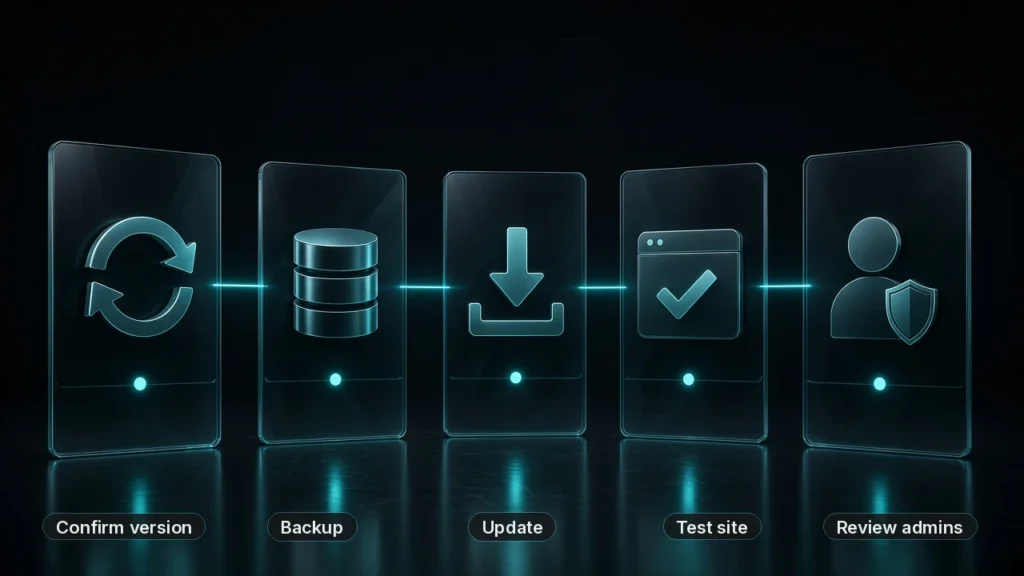
When a security release lands, this is the sequence we use on sites we look after:
- Confirm the installed version. In wp-admin under Updates, or via WP-CLI, check that core reports 7.1.4 or later (or the current patched release at the time you read this). Do the same for plugins and themes with their own security advisories.
- Update on staging first where you can. Especially on WooCommerce or heavily customised sites. Apply the update, run a smoke test of login, key templates and checkout, then promote to live.
- Take a backup you trust before you update live. Confirm the backup is recent and restorable, not just that a plugin says “success”.
- Apply the update, then check the front end and admin. Load the home page, a product or service page, cart/checkout if relevant, and wp-admin. Watch for white screens, plugin fatals or missing assets.
- Review administrators and recent logins. Look for unexpected administrator accounts, password resets you did not request, or logins from unfamiliar locations.
- Scan for known vulnerabilities on what is still installed. An abandoned plugin can stay on a site long after core is patched.
- Check PHP errors and failed jobs. A quiet fatal in a background cron task is easy to miss until orders or forms stop working.
- Record what you did. Date, version before/after, who updated, and anything odd you found. That timeline helps if you need to investigate later.
None of this needs scare tactics. It is ordinary operational hygiene: the same discipline you would apply after any important infrastructure change.
Why updates alone are not enough
Updating WordPress core is necessary. It is not sufficient.
Sites drift. A plugin falls out of maintenance. An SSL certificate approaches expiry. A new administrator account appears because someone shared a password. WP-Cron stops firing and Action Scheduler queues grow. Autoload options bloat the database. Uptime looks fine while checkout is slow. A backup job silently fails for a week.
Those issues rarely announce themselves with a homepage banner. They show up in support tickets, lost orders or a Monday morning panic. Continuous monitoring exists to surface them earlier, with enough context for a human to decide what matters.
That is the gap between “we update when we remember” and a support plan that watches the estate properly.
WooCommerce security needs extra attention
WooCommerce stores face the same WordPress core risks as any other site, plus a larger attack and failure surface. Checkout, payments and customer data sit on the same install. Stores also tend to run more plugins and extensions (payment gateways, shipping, subscriptions, marketing tools), so one delayed update can affect orders, not only a blog page.
That is why shop updates need a bit more discipline than a brochure site:
- Keep WooCommerce and its extensions updated, and test on staging first. Apply the update, smoke-test products, cart, checkout and a test payment where you can, then promote to live. A trusted backup before the live update is non-negotiable.
- Treat security releases as priority work. For example, WooCommerce 11.2.2 (released 4 November 2026) is a security release. WooCommerce recommends updating as soon as possible. Among other hardening, it stops Store API checkout from continuing to payment when the order could not be saved. The release also includes a database update, so back up first and test before you roll it out on a live shop. (Release notes checked 6 Nov 2026, Europe/London; confirmed against the 11.2.2 GitHub tag.)
- Watch for abandoned or poorly maintained extensions. An unused payment or shipping plugin that is no longer updated is a common quiet risk on stores that have grown over several years.
- Tighten shop manager and administrator hygiene. Limit who can change products, orders and settings. Review new administrators, failed logins and unusual IP or geographic activity, especially after a busy sales period when temporary access is easy to forget.
DevEdge Hub watches WooCommerce and integration health where applicable, alongside core and plugin vulnerability checks, outstanding updates, Action Scheduler/cron signals and administrator or login changes. That evidence sits under our Website Support plans, so alerts go to people who can act on them, not only to a dashboard nobody opens.
What DevEdge Hub watches
DevEdge Hub is the monitoring platform behind our Website Support plans. It watches your WordPress or WooCommerce site from the outside and from inside WordPress (via our DevEdge Connect plugin), then turns that into alerts and clear reports your support team can act on.
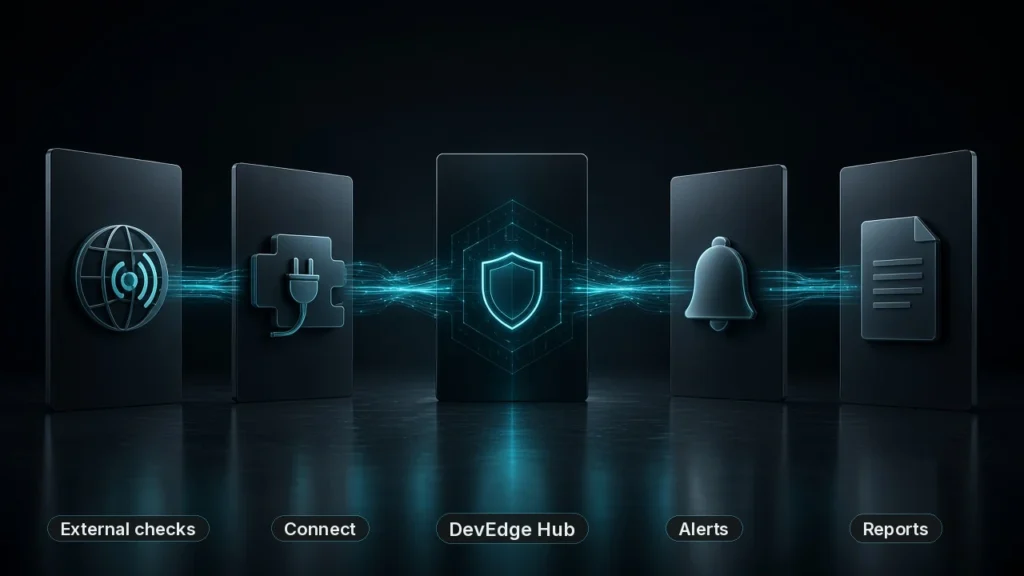
In plain terms, Hub is there so you are not the last to know when something drifts:
- Uptime, SSL and domain problems surface before visitors hit a broken page or an expired certificate warning.
- WordPress and plugin updates, known vulnerabilities and abandoned plugins stay visible, so a security release like WordPress 7.1.4 or WooCommerce 11.2.2 does not sit unpatched for weeks.
- Administrator and login changes are flagged, including new admins, failed logins and unusual locations.
- Quiet technical failures such as PHP errors, stuck cron or Action Scheduler jobs, backup issues and WooCommerce health problems get noticed while they are still small.
- History and alerts go to people who can investigate, not only to a dashboard that nobody opens.
If something serious does happen, Hub also feeds our optional Emergency Response cover with the diagnostics and timeline engineers need to start investigating quickly.
How this fits under Website Support
Monitoring only helps if someone is accountable for the alert. That is why Hub sits inside our Website Support plans rather than as a disconnected dashboard.
Support plans combine scheduled software updates with security and vulnerability monitoring, backup monitoring, uptime checks and direct technical access when something needs fixing. Hub gathers the evidence; the support team acts on it. Agencies can also resell support as their own care package while we stay behind the scenes.
Not ready for an ongoing plan? A one-off Website Health Check is a sensible starting point: a snapshot of security, updates, performance and configuration, with prioritised recommendations.
A sensible baseline for UK WordPress and WooCommerce sites
Whether you use DevEdge or another provider, aim for this baseline:
- Patched core, plugins and themes, with a tested backup before each update window.
- Monitoring that includes vulnerability data, not only uptime pings.
- Admin and login visibility, so a new administrator cannot appear unnoticed.
- Backup monitoring, so a failed backup is an alert, not a surprise at restore time.
- A named human who receives alerts and knows when to escalate.
- A documented response path for outages and suspected compromise, including who speaks to the client.
That baseline is boring on purpose. Boring is what you want from security operations.
Frequently asked questions
Yes. Monitoring tells you what is wrong; updates and configuration changes fix it. Hub flags outstanding updates and known vulnerabilities so they are harder to ignore, but the patch still has to be applied.
No. A Website Health Check is a point-in-time assessment. Hub is continuous monitoring with history, alerts and reporting, delivered as part of Website Support. Many clients start with a health check and then move onto a support plan.
No. Hub and Connect add external and internal diagnostics, vulnerability intelligence and operational monitoring. You may still run a firewall or hardening plugin on the site. Hub’s hardening assessment helps show whether those controls are actually in place.
Yes. Stores need the same core and plugin monitoring, plus closer attention to checkout, payments, extensions and shop-manager access. Hub includes WooCommerce and integration health checks where applicable, and flags outstanding updates and known vulnerabilities so security releases (such as WooCommerce 11.2.2) are harder to miss. Ongoing cover sits under Website Support.
Want us to monitor your WordPress or WooCommerce site?
If you would like continuous health, security and uptime monitoring on your WordPress or WooCommerce site, with engineers who know what the alerts mean, talk to us about Website Support. Prefer a snapshot first? Start with a Website Health Check, then decide whether ongoing Hub monitoring is the right next step.
