 DevEdge
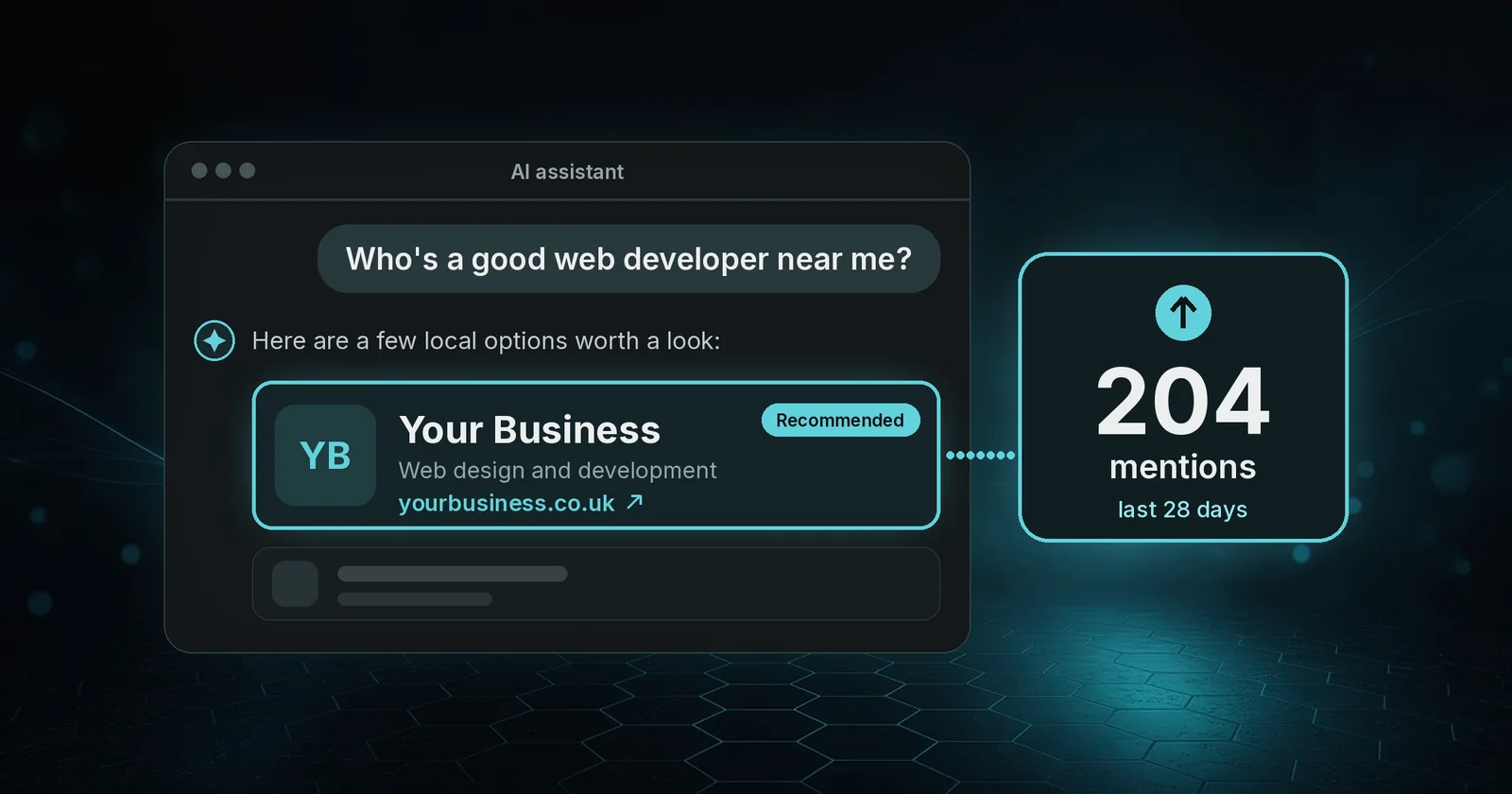
Is ChatGPT recommending your business? We asked the same question about our own company. Over 28 days to 14 November 2026 (UTC), ChatGPT mentioned DevEdge 204 times, and 17 people clicked through to devedge.co.uk. That is about one click for every 12 mentions.
Those figures are not impressions, and they are not a guess. They come from OpenAI’s free ChatGPT Business Hub, which we claimed for our own site. Here is what we saw, how to claim your listing, and what actually helps ChatGPT understand your website. For the wider picture, see our guide to getting your small business found in AI search.
How do I see if ChatGPT mentions my business?
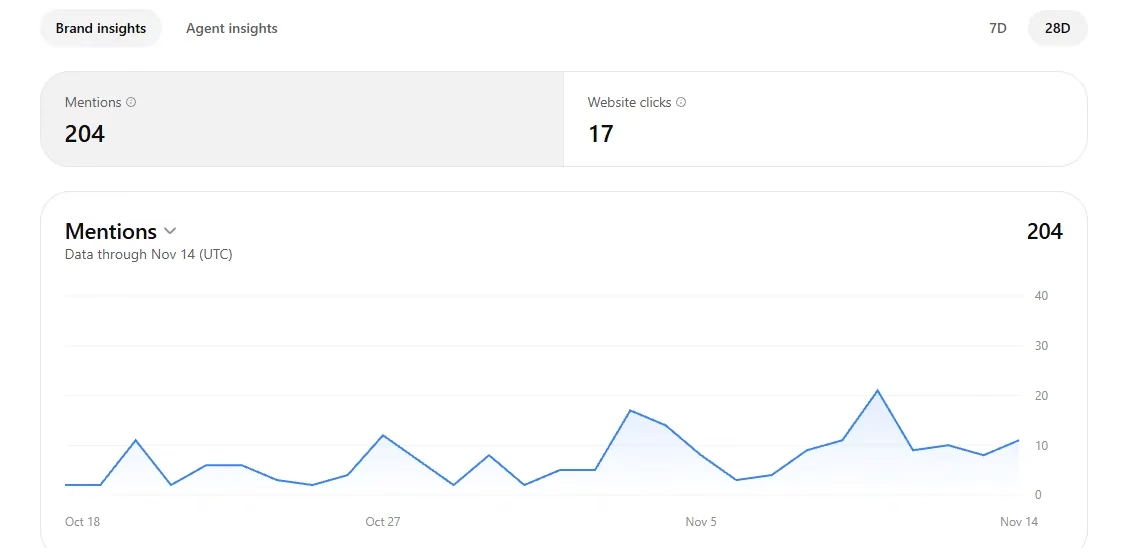
OpenAI launched Businesses in ChatGPT in beta on 10 November 2026. Business Hub lets you claim your business, keep your details up to date, and see how often ChatGPT mentioned you, how many people clicked through to your website, and the discovery topics (common themes) in those answers.
OpenAI’s help article describes these insights over the past 28 days. On our dashboard you can also switch to a 7-day view. You need a ChatGPT account, and you have to claim and verify the business before the figures appear. Start at chatgpt.com/business-hub (you will be asked to sign in).
On our 28-day view, the top discovery topics were small business growth and customer acquisition (26 mentions), business vendors and service comparisons (19), and website content and marketing strategy (8).
The topic counts add up to 104, not the headline 204. Business Hub doesn’t explain the gap, so treat the topics as a guide to themes rather than a full breakdown. The useful signal for us is the mix: ChatGPT is already bringing DevEdge up when people discuss growth and compare suppliers, not only when they ask a narrow technical question.
How do I get my business on ChatGPT?
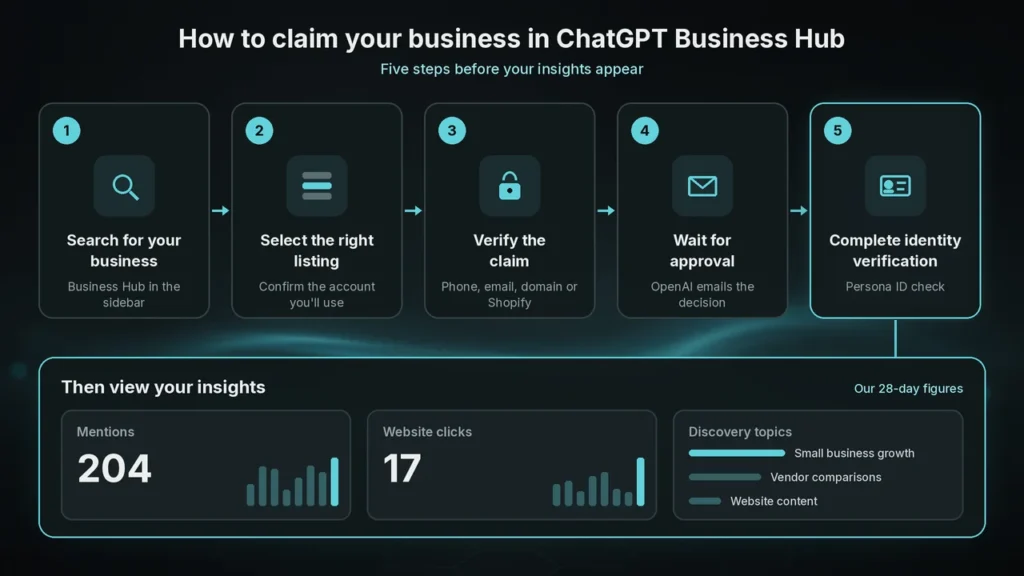
You can claim a business if you own it or are authorised to represent it. You do not need a ChatGPT Ads account or an Enterprise agreement. OpenAI says any eligible business where ChatGPT is available can claim through Business Hub, though this still depends on location and type.
The steps are:
- Sign in to ChatGPT, open Business Hub from the sidebar, and search for your business by name.
- Select the right listing and confirm the account you will use to manage it. If you run an eligible online business and cannot find a listing, you may be able to add it. Local stores and restaurants can currently claim only an existing US listing, which will rule out many UK high-street shops.
- Verify the claim with one of the methods offered: business phone, business email, website domain (a DNS TXT record) or Shopify.
- Wait for OpenAI to approve the claim. They email you the decision, or a request for more information.
- Complete identity verification with Persona. You need this before you can publish changes, view insights, or create a Business Agent (if you are eligible). You may be asked for a government-issued ID, business registration details, and proof you are authorised to represent the business. The verified badge appears only after Persona approval, not when you first claim.
You can then update your website, description, category and other details, and connect a product feed if you sell products. Changes are reviewed by OpenAI and can take time to appear.
What do mentions and website clicks actually mean?
A mention is not the same as an impression in Google Search Console, and Business Hub does not report impressions.
For an online business like ours, a mention counts only when ChatGPT references the website. Naming the brand on its own does not count. For a local business, a mention counts when ChatGPT shows a result for that location, even if the person does not open the listing or visit the website.
Website clicks are how often people click through to your site. Discovery topics are common themes in answers that mentioned or cited your business. They do not reveal individual prompts, and they are not a direct measure of customer intent. OpenAI does not share users’ conversations, or chats with a Business Agent, with businesses.
A blank metric does not necessarily mean zero activity. It can mean you are below the reporting threshold, data is still being collected, or reporting is unavailable. If a figure stays blank, OpenAI says to contact their support.
Does claiming my business improve ChatGPT visibility?
No. OpenAI is clear: claiming lets you manage the information you provide. It does not guarantee more visibility, and it does not give you control over ChatGPT’s independent recommendations. Advertising does not influence those answers either.
The same applies if you are asking whether ChatGPT already knows about your business. It might already mention you, even if you have never claimed a profile. Claiming and filling in your details helps ChatGPT use accurate information. It is not a switch that makes the model start recommending you.
Other limits worth knowing:
- Business Agents (the optional chat customers can start from your ChatGPT profile) are available at launch only to eligible ecommerce and online service businesses in the United States. Most UK firms can still claim a profile and use insights, but should not expect an Agent yet. If you want a chat assistant on your own website now, see our AI chatbot development service.
- Insights appear only once there is enough activity to meet OpenAI’s thresholds, and only after Persona verification is approved.
- Updates can take time to show up, and ChatGPT may still draw on other sources.
If you are wondering why ChatGPT is not recommending your business, the Hub will show whether you are being mentioned and cited. It will not, by itself, fix a thin or unclear website.
How do I get ChatGPT to recommend my business?
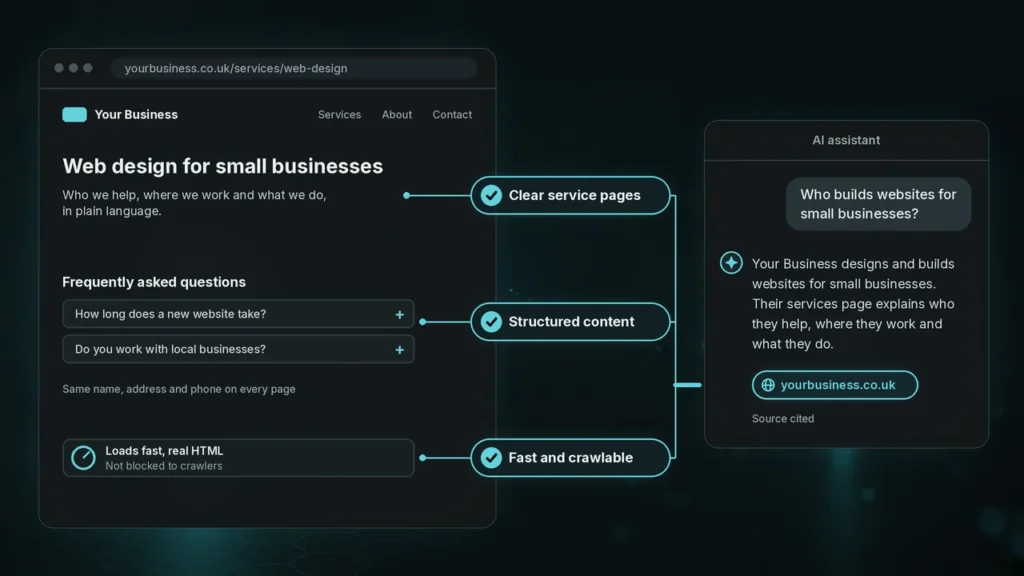
There is no shortcut, and no official “AI SEO” switch. The same things that help people and search engines understand you also help assistants like ChatGPT. We covered this in our guide to getting your business found in AI search. In short:
- Keep your Business Hub details accurate: website, description, category and, if you sell products, a product feed. A feed does not guarantee ChatGPT will recommend those products, but it is how you supply current prices and availability.
- Make your service pages clear. Say who you help, where you work, and what you actually do, in plain language, on pages that are easy to find from the home page.
- Structure the content. Use straightforward headings, FAQs where they help, and consistent name, address and contact details across the site.
- Keep the site fast and crawlable. If AI tools cannot read the page, they cannot cite it. The site needs to load properly on reliable hosting, stay unblocked, and return real HTML rather than a challenge page.
Frequently asked questions
Claim your business in ChatGPT Business Hub and complete Persona verification. Insights then show mentions and website clicks, not impressions. For an online business, a mention counts only when ChatGPT references your website.
It might already mention you, even if you have never claimed a profile. Claiming does not create that knowledge from scratch. It lets you verify the listing, keep your details up to date, and see aggregated insights once you have enough activity.
Yes. You do not need a ChatGPT Ads account or an Enterprise agreement to claim an eligible business. Business Agents and advertising are separate, optional features, and Agents are US-only at launch.
A blank Insights figure can mean you are below the reporting threshold, not that nobody has seen you. If the numbers are genuinely low, the site may be hard to understand, the business details incomplete, or there may simply not be enough relevant conversations yet. Claiming the listing will not, on its own, make ChatGPT recommend you more often.
Most UK businesses can claim a profile and see insights once they meet OpenAI’s thresholds. Local stores and restaurants can currently claim only an existing US listing, and Business Agents are US-only at launch.
Want help making your website easier for ChatGPT to recommend?
If you want clearer service pages and a site that AI tools can actually read, talk to us about SEO or send us a message. We can review the website, not just the listing.
